Gemini 3.1 Pro Coding Test: I Built a 3D Dungeon Crawler in Three.js — Three Rounds, Three Bugs, Three Real Fixes

I put Gemini 3.1 Pro through a real-world coding test as a free coding ai tool: one detailed prompt, build a complete 3D roguelike dungeon crawler in a single HTML file using Three.js, no frameworks, no external assets. It came back with a genuinely good-looking result on the first try — and a game you couldn't walk forward in. Getting from that to actually playable took two more rounds of bug reports, each one surfacing a different, more interesting problem than the last.
The AI coding tool prompt: What I asked for
The prompt was long and specific on purpose — this is the kind of three js game build that exposes how well a model handles complexity end-to-end: floor and ceiling geometry, dynamic lighting, procedural room generation, three enemy types with distinct AI, melee and ranged combat, loot drops, room-to-room door locking, and a full HUD with a minimap. Nothing here was left implicit. The goal was a fully playable html5 dungeon crawler in one file, double-clickable in any modern browser.
You are an expert Three.js game developer with deep knowledge of 3D rendering, lighting, and game architecture.
Build a complete, fully playable 3D roguelike dungeon crawler in ONE SINGLE HTML file using Three.js (load from CDN via importmap or script tag, no other libraries, no build tools, no external assets).
CRITICAL — the game must actually render and be visible. Explicitly include:
- A floor/ground mesh covering the full explorable area, with a material and texture/color that's clearly visible under the lighting
- Ceiling geometry as well, so the space feels enclosed
- Ambient light plus at least one dynamic light source (e.g. a light attached to the player/camera) with enough intensity to see walls, floor, and enemies clearly from several units away
- A working render loop that runs continuously via requestAnimationFrame regardless of pointer-lock state, so the scene is visible even before the player clicks to start
IMPORTANT:
- Output ONLY one file: index.html
- Put all HTML, CSS, and JavaScript inside this single file
- Do not create any other files
- Do not use React, TypeScript, or any frameworks
- The final file must run by double-clicking index.html
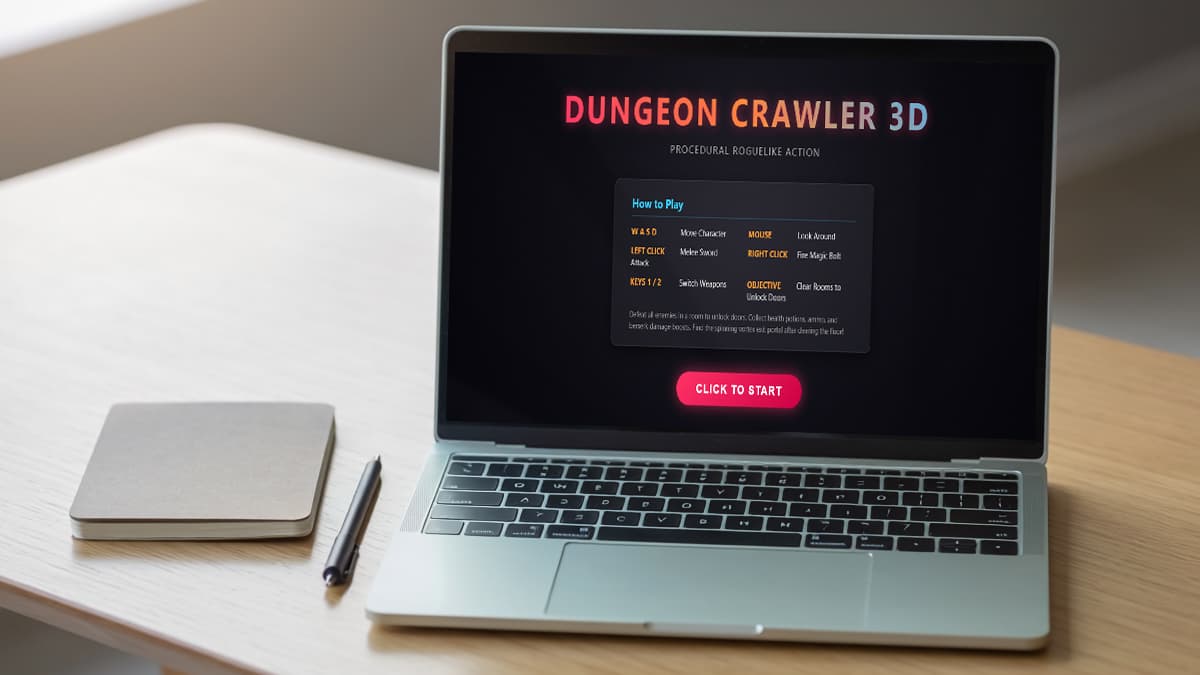
- Show a clear "Click to start" screen with control instructions before pointer lock engages, and hide it once the game begins
WORLD:
- Procedurally generated 3D dungeon: at least 6-8 connected rectangular rooms of varying size, joined by corridors, generated fresh each run
- Distinct floor, wall, and ceiling materials/colors so rooms are visually readable
- First-person camera with WASD movement + mouse look (pointer lock), properly clamped so the player can't walk through walls
- A minimap in the corner of the screen showing explored rooms
PLAYER:
- Smooth movement with acceleration/deceleration, not instant start/stop
- Melee attack: short-range raycast swing with a visible arc or swing animation cue, short cooldown, shown as a weapon model or simple visual indicator in view
- Ranged attack: raycast-based shot with a visible projectile or tracer effect, limited ammo, cooldown between shots
- Health bar in the HUD with a damage-flash effect on the screen edges when hit
ENEMIES:
- 3 distinct types with different stats and visual appearance (different colors/shapes at minimum):
- Fast/weak melee type: low HP, high speed, rushes the player directly
- Slow/tanky type: high HP, low speed, high damage on contact
- Ranged type: keeps distance, fires projectiles at the player, retreats if the player gets too close
- AI: enemies are idle/patrol until the player enters detection range, then switch to their attack behavior; use simple state management, not just distance checks scattered through the render loop
- Visual and/or audio-style feedback when an enemy is hit (color flash, knockback, or particle burst) and when an enemy dies (death effect, not just instant removal)
PROGRESSION:
- Loot drops from defeated enemies: at least 3 item types (health potion, ammo pickup, temporary damage boost) shown as small 3D objects in the world that the player walks over to collect, applied automatically
- Clearing all enemies in a room unlocks the door/opening to the next connected room (doors should visually indicate locked vs. unlocked state)
- A "descend to next floor" trigger once every room on the current floor is cleared, generating a new, harder floor (more enemies, tougher stats)
- Score and current floor/depth number displayed in the HUD, updating live
UI:
- Full HUD overlay: health bar, ammo count, score, floor/depth number, minimap
- Crosshair in the center of the screen
- Game over screen on player death showing final score and floor reached, with a restart button that fully resets the game state
Before returning the final code, mentally trace through the initialization order once: scene creation, geometry creation, light creation and scene attachment, camera positioning, and the first render call — to make sure nothing required for the first frame to render correctly is missing or created out of order.
CODE: everything inside <script> and <style> tags. No explanations. No markdown. No separate files. Return only the complete index.html code.
Interactive Demo
W A S D / Arrow Keys to drive
Round one: strong visuals, hard movement block
The first output rendered immediately — no black screen, no missing geometry. Stone-brick walls with real texture detail, a health bar with a damage-orange fill, a weapon icon toggle between melee and a magic-bolt ranged attack, an ammo counter, a floor/depth counter, and a live minimap in the corner all showed up correctly styled, not just functionally present. For a single unguided pass, that's a high bar cleared.
The problem: a flat red plane sat directly in front of the player's spawn point, and pressing W did nothing. It fully blocked forward movement from the first frame. Rather than debug the code by hand, I described the symptom back to the model — player can't walk forward, there's a red/orange plane right at spawn, diagnose the collision logic, spawn position, and movement code before fixing.
Round two: movement fixed, a new bug appears
The second pass fixed the blocking wall. The dungeon layout also changed — cleaner room geometry, no red obstruction — and the player could move freely for the first time. But a different bug showed up almost immediately: the door-locking system, meant to seal a room until its enemies were cleared, was instead trapping the player against a closed door the moment an enemy was detected. With enemies attacking and no way to back out or advance, the run ended in death.
This is a more interesting failure than the first one. The movement block was a single bad object placement — narrow and mechanical. The door-lock trap is a systems-interaction problem: the enemy-detection logic and the door-locking logic were each individually reasonable in isolation, but nothing accounted for what happens when a player is caught between them at the same time. I reported the symptom again — door lock traps the player when an enemy is detected, no way to move or escape — and asked for a fix.
Round three: a third bug, then a real fix
The door-lock issue got resolved in the next pass, and movement through doors worked as intended. But a third, related bug surfaced immediately after: triggering an enemy's detection state — the "enemy detected" alert — froze the player in place against a wall, with no way to move before dying. Same shape of problem as the last round: some part of the alert/combat-state transition was overriding player input instead of running alongside it.
I described this precisely — enemy-detection message triggers, player gets stuck against a wall, can't move, dies — and Gemini 3.1 Pro fixed it on that pass. Player movement stayed fully responsive through enemy detection, combat, and door transitions afterward, with no more freezing or trapping.
What this run says about Gemini 3.1 Pro code generation
Three rounds, three distinct bugs, three real fixes — that's the honest shape of this test. What's notable isn't that a one-shot Three.js game had bugs; that's normal. It's that each fix was a genuine root-cause fix rather than a cosmetic patch. Round one's problem was pure geometry and collision. Rounds two and three were both state-management bugs, where a game-logic trigger — a door lock, an enemy-detection alert — was reaching into player-movement code it had no business touching. Each time, describing the symptom precisely was enough for the model to trace it back to the actual cause rather than bolt on a workaround. As a practical test of gemini code generation for game logic, the pattern is instructive: strong structure, reliable visual output, but systems-interaction bugs that need iterative symptom reports to resolve.
The visual quality out of round one is worth noting on its own terms, separate from the bugs: textured surfaces, a styled HUD with icon-based weapon switching, a functioning minimap, and directional lighting from a torch effect all showed up in detail just from being named as requirements, without needing extra passes to get there. As a gemini ai game generator, it clears the visual bar on the first pass more reliably than it clears the interaction-logic bar.
Gemini 3.1 Pro dungeon crawler prompt — try it yourself
Build a complete 3D roguelike dungeon crawler in a single HTML file using Three.js (CDN, no build tools, no external assets).
Requirements:
- First-person camera with WASD movement + mouse look via pointer lock, wall collision.
- Procedurally generated dungeon: 6–8 connected rooms with corridors, distinct floor/wall/ceiling materials.
- Dynamic lighting: ambient light plus a torch/point light attached to the player camera.
- 3 enemy types with different stats and visuals: fast/weak melee, slow/tanky melee, ranged mage that retreats.
- Enemy AI with idle, patrol, chase, and retreat states, not just distance checks.
- Melee sword attack (short-range arc) and ranged magic bolt (projectile with limited ammo).
- Loot drops from enemies: health potion, ammo pickup, temporary damage boost.
- Room-based progression: doors lock on entry, unlock when all enemies are cleared.
- Floor descent once every room is cleared, generating a harder floor.
- Full HUD: health bar, ammo count, score, depth/floor number, minimap, crosshair.
- Damage flash on hit, death particles on enemy kill, floating damage numbers.
- Start screen with controls, game over screen with score and restart.
- Continuous render loop via requestAnimationFrame regardless of pointer-lock state.
- All audio synthesized via Web Audio API — no external audio files.