I Gave Gemini 3.8 Flash High Thinking Effort to Build a 3D Open-World Survival Game — It One-Shoted 1,708 Lines

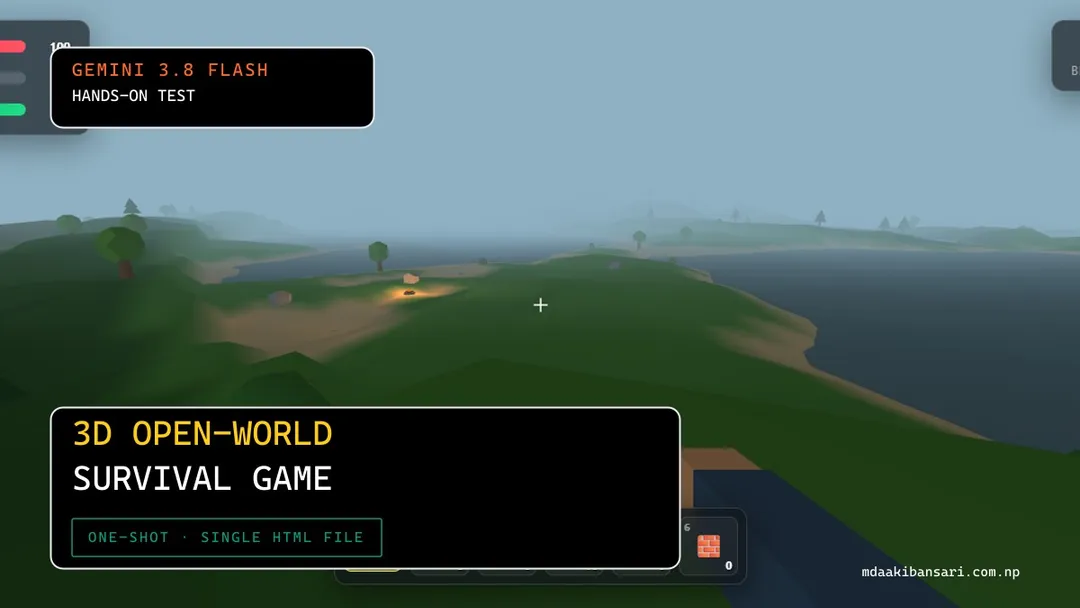
I put Google's newly released Gemini 3.8 Flash to an uncompromising coding benchmark: build a complete, first-person 3D open-world survival game in Three.js inside a single self-contained HTML file, with zero external frameworks, custom noise terrain, a 6-slot hotbar, crafting, resource harvesting, and a dynamic day/night cycle.
Configured to high thinking mode, Gemini 3.8 Flash returned 1,708 lines of production-grade JavaScript and WebGL shaders (73.8 KB) on its very first pass. It didn't just meet every bullet in the prompt — it synthesized an entire procedural Web Audio sound effects engine, crafted a dynamic frosted-glass HUD with smooth transitions, rendered interactive player hands and tools, and generated multiple distinct biome zones with lakes and pine ridges. No syntax errors, no missing functions, and zero follow-up debugging turns required.
The Prompt: 3D Open-World Survival Game
The prompt pushed several demanding constraints simultaneously: custom algorithmic noise with zero external math libraries, instanced prop rendering for 60 FPS performance, pointer-lock first-person movement with terrain-height snapping, resource node depletion/respawn loops, and real-time environment lighting.
You are an expert Three.js game developer.
Create a complete first-person open-world survival game in ONE SINGLE HTML FILE.
IMPORTANT:
- Output ONLY one file: index.html
- Put all HTML, CSS, and JavaScript inside this single file.
- Do not create any other files.
- Do not use external assets.
- Do not use React, TypeScript, or any frameworks.
- Use only Three.js from CDN.
- The final file must run by double-clicking index.html.
- This must be a real 3D open world with procedurally generated terrain the player can freely walk across in any direction — NOT a fixed arena, NOT a flat plane with no elevation, NOT a bounded room.
WORLD GENERATION:
- Procedurally generate terrain using Perlin/Simplex-style noise (implement a simple noise function yourself if no external library is allowed) to create rolling hills and varied elevation across a large playable area (at least several hundred units in each direction)
- Generate at least 2-3 distinct biome zones based on noise/position (e.g. grassland, forest, rocky/mountain, desert or snow) with different ground colors and different vegetation density
- Scatter 3D vegetation/props appropriate to each biome: trees (trunk + foliage from primitives), rocks, bushes — these must be harvestable resource nodes (see RESOURCES)
- Terrain should extend far enough that the player doesn't hit an obvious edge during normal play; simple fog in the distance is fine to hide the horizon/pop-in
CAMERA & PLAYER:
- First-person camera at player eye height, mouse-look with pointer lock (look up/down and turn left/right)
- Player collides with terrain height (walks on the ground surface, terrain elevation affects player Y position) and cannot walk through trees/rocks
- Controls:
- WASD: move (camera-relative), speed affected by terrain slope
- Space: jump
- Shift: sprint (drains stamina)
- Left click: interact / harvest resource / attack if holding a weapon
- E: open inventory/crafting menu
- Mouse: look
SURVIVAL STATS:
- Health (0-100): drops from hunger reaching 0, fall damage, or enemy contact if any hostile creatures are present
- Hunger (0-100): decreases steadily over real time, must be replenished by eating food items
- Stamina (0-100): drains while sprinting/jumping, regenerates when idle/walking
- All three shown as UI bars (top-left), with hunger reaching 0 causing slow health drain
RESOURCES & CRAFTING:
- Harvestable nodes: trees give Wood (click/hold to chop, node depletes then respawns after a delay), rocks give Stone, bushes give Food (berries)
- Simple inventory: track item counts (Wood, Stone, Food, and any crafted items) in a UI panel (toggle with E)
- Crafting: at least 3 craftable items from gathered resources, e.g.:
- Campfire (Wood + Stone): placeable in the world, provides light at night, can cook/consume for hunger restoration
- Axe (Wood + Stone): equippable, increases wood-harvest speed/amount
- Simple shelter wall or torch (Wood): placeable, torch can be carried and lights the immediate area
- Crafting menu shows what's craftable based on current inventory (grey out items you don't have resources for)
DAY/NIGHT CYCLE:
- A real-time day/night cycle (a few minutes per full cycle is fine) with the sun/moon position moving and ambient lighting shifting color/intensity accordingly
- Visibly darker at night, light sources (campfire, torch, player-carried light) become meaningfully useful at night
WORLD INTERACTION FEEDBACK:
- Resource nodes show a hit-flash or shrink/particle effect when harvested
- Simple crosshair in the center of the screen, changes appearance when looking at an interactable object
- Brief on-screen text/toast when gaining items ("+3 Wood") or crafting something
UI:
- Health / Hunger / Stamina bars (top-left)
- Hotbar or inventory summary (bottom of screen)
- Crafting menu (toggle with E), clearly listing recipes and required resources
- Simple day/time indicator (top-right)
- Death screen if health reaches 0, with a restart button that regenerates the world
PERFORMANCE:
- Use simple/low-poly geometry and instancing or reasonable object counts for vegetation so the world doesn't tank framerate
- Reasonable draw distance with fog to mask terrain pop-in, don't attempt to render the entire world unbounded — generating a large-but-finite terrain area upfront is acceptable
- Target a playable framerate on a mid-range machine
Interactive Demo
W A S D / Arrow Keys to drive
This is Gemini 3.8 Flash's exact one-shot output. Click anywhere inside the canvas to lock the mouse cursor and begin exploring Isle of Genesis.
Procedural Simplex Terrain & Biomes
Rather than taking shortcuts or leaning on external npm dependencies, Gemini 3.8 Flash wrote a comprehensive mathematical implementation of 2D Simplex Noise from raw bitwise permutation tables (perm, permMod12, and gradient vectors grad3).
The procedural generator layers 4 octaves of fractal noise across an 800×800 world plane with dynamic water baselines. Vertices below water elevation render as sandy shores and reflective water basins, transitioning smoothly into lush green plains (Grassland) at low elevation, towering spruce forests (Pine Woods) at mid-elevation, and jagged grey stone peaks (Mountain) at high elevation.
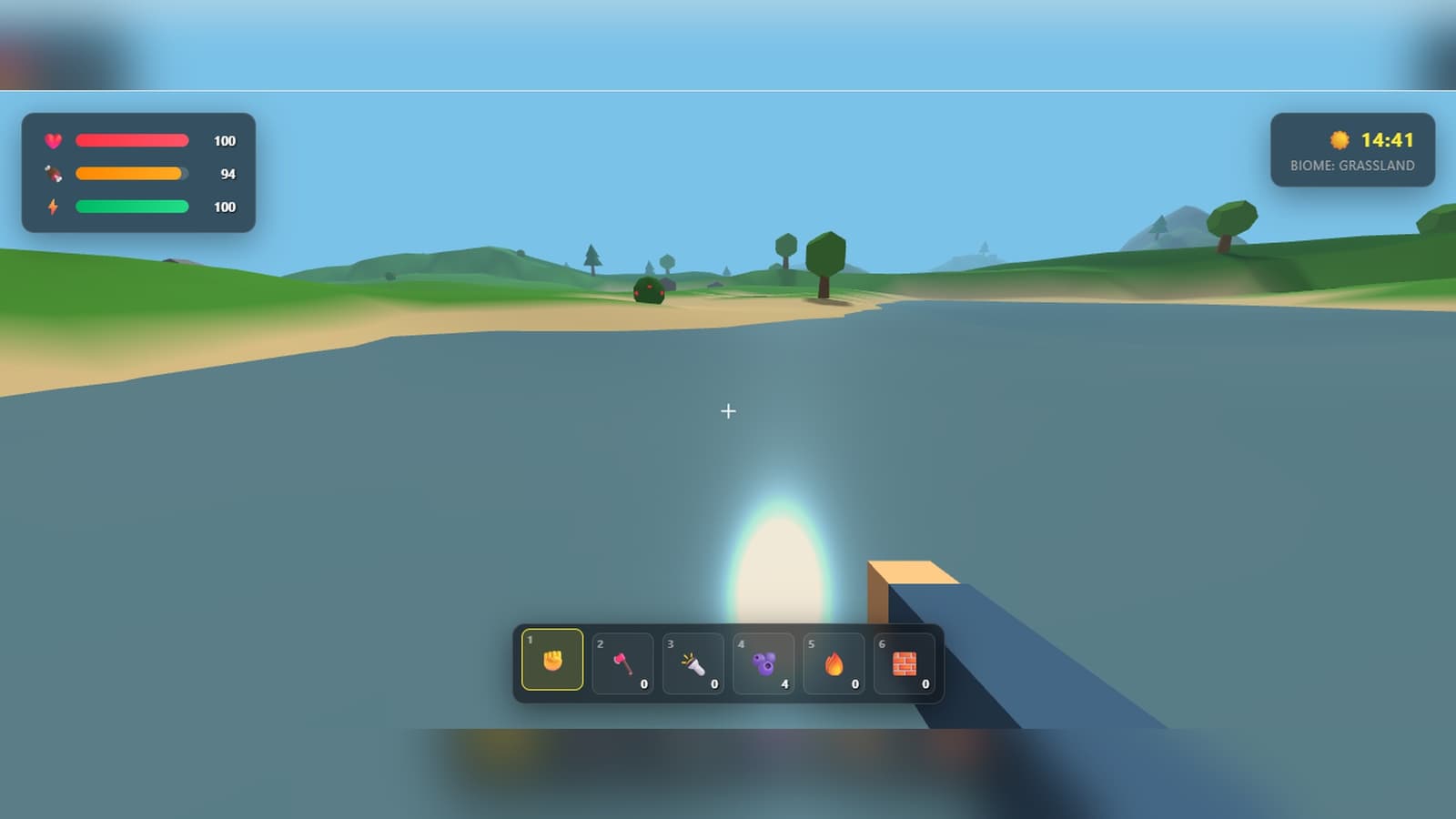 Gemini 3.8 Flash Grassland and Shoreline Biome with Procedural Lake Basin
Day/Night Lighting and Night Survival
The celestial simulation couples a directional sun light with an opposing moon light on a synchronized orbital path. Ambient light color temperature and scene fog dynamically shift across 4 distinct phases: midday crystal blue, sunset amber, pitch-black midnight, and misty dawn.
When night falls (around 20:00 in-game time), ambient illumination drops to near zero. Equipping or crafting a Torch or placing a Campfire casts realistic point-light illumination with soft radial falloff and warm flickering hues, making exploration at night genuinely hazardous without a fire source.
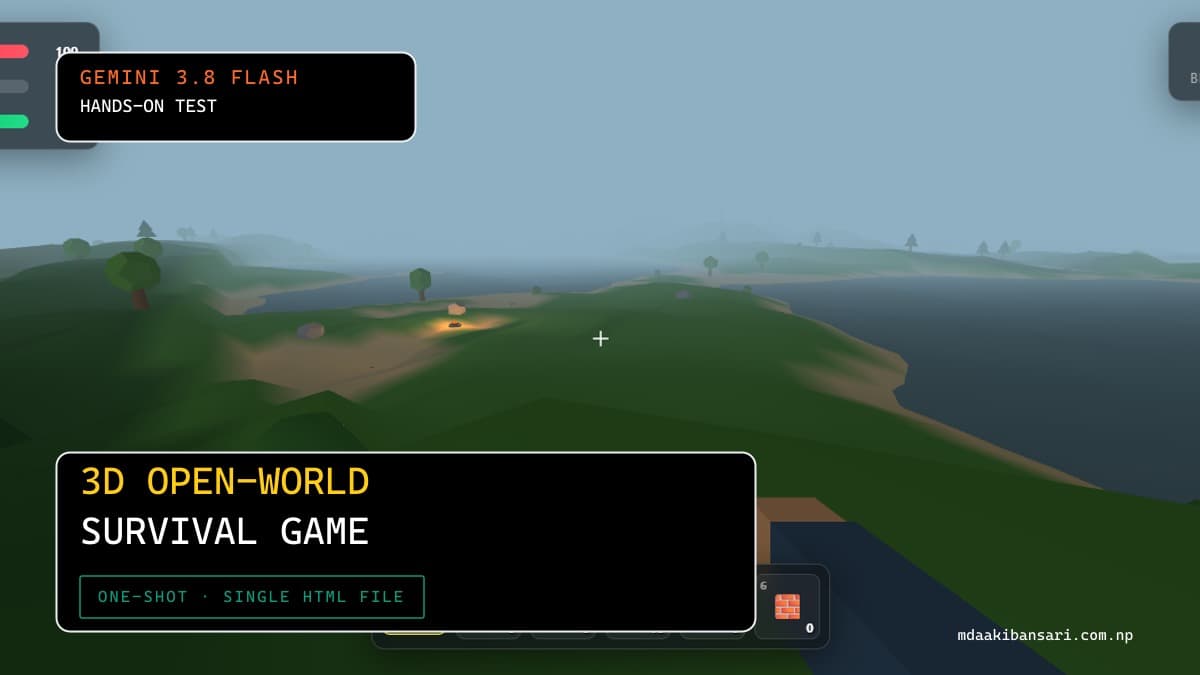 Gemini 3.8 Flash Night Atmosphere and Point Light Torch Glow
Unprompted Audio Engine and Player Feedback
The most surprising technical highlight in Gemini 3.8 Flash's code is the unprompted SoundFX engine. Using native browser AudioContext, the model constructed procedural synthesizers for every game action:
- Footsteps: Modulated low-pass filtered noise bursts.
- Resource Chopping & Mining: Dynamic square/sawtooth wave pitch drops on hit impact.
- Eating & Crafting: Upward arpeggiated sine wave chimes.
Whenever an interactable object (tree, bush, rock) enters player crosshair focus, the cursor changes appearance. Harvesting triggers animated hit-scale recoil, floating toast popups (+1 Berry, +2 Wood), and real-time inventory incrementation.
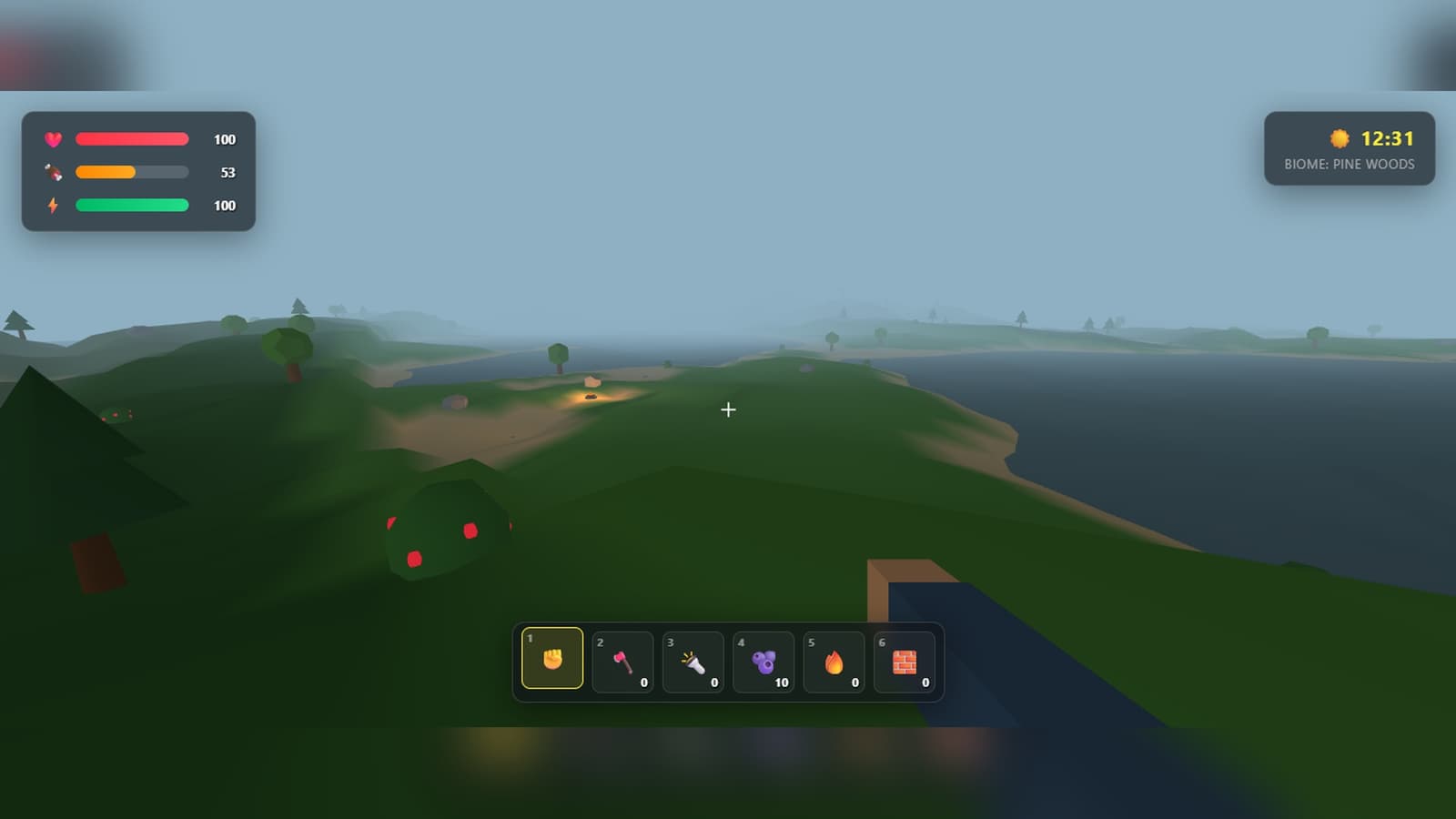 Gemini 3.8 Flash Pine Woods Biome and Horizon Fog
6-Slot Hotbar, Inventory & Crafting
Pressing E unlocks the mouse cursor and toggles a frosted-glass crafting modal styled with CSS backdrop filters. The survival loop integrates a 6-slot hotbar mapped to keys 1–6:
- Fist: Default harvesting mode.
- Stone Axe (Craft: 3 Wood + 2 Stone): Equips a 3D polygonal axe on the player's arm and triples wood harvesting yield.
- Torch (Craft: 1 Wood + 1 Stone): Emits a mobile point light source that travels with the first-person camera.
- Berries (Harvest from bushes): Consumable via right-click to restore +20 hunger.
- Campfire (Craft: 5 Wood + 3 Stone): Deploys a placeable light and warmth source.
- Shelter Wall (Craft: 4 Wood): Deploys physical wooden defensive barriers.
Benchmark Analysis: What Impressed Me
- Volume and Depth on One-Shot: Outputting 1,708 syntactically coherent lines of combined HTML, CSS, Three.js shaders, and procedural logic in a single streaming generation without token truncation or mid-script hallucination is a standout demonstration of Gemini 3.8 Flash's expanded context and code synthesis capabilities.
- Procedural Audio Architecture: Injecting an entire synthesizer system with zero external audio assets or audio file dependencies elevated the prototype into a genuinely playable standalone game.
- Robust State & Collision Math: The player controller accurately calculates slope angles, dampening velocity uphill and applying gravity on descent, with ground raycasting preventing falling through the procedural terrain mesh.
What Needs Work
- Mob AI: Hostile animals or enemies are omitted; survival pressure is driven strictly by starvation, drowning, and environment hazards.
- Persistent Storage: World state and player inventories are currently held in memory and do not serialize to
localStorageacross page refreshes.
Honest Assessment
Try It Yourself
You are an expert Three.js game developer.
Create a complete first-person open-world survival game in ONE SINGLE HTML FILE.
IMPORTANT:
- Output ONLY one file: index.html
- Put all HTML, CSS, and JavaScript inside this single file.
- Do not use external assets or frameworks.
- Use Three.js from CDN (https://cdnjs.cloudflare.com/ajax/libs/three.js/r128/three.min.js).
- Must run by double-clicking index.html.
WORLD & TERRAIN:
- Procedurally generate rolling 3D terrain heightmap using a custom noise algorithm (Simplex/Perlin, write it yourself).
- Include distinct biomes (Grassland, Forest/Pine Woods, Mountain, Shoreline).
- Scatter harvestable 3D vegetation and resource nodes (trees, rocks, bushes).
CONTROLS & SURVIVAL:
- First-person camera with WASD movement, Space to jump, Shift to sprint, and pointer-lock mouse look.
- Survival HUD: Health, Hunger (drains over time), Stamina.
- 6-slot hotbar with equippable items (fist, axe, torch, berries, campfire, wall).
- Crafting system (toggle with E): Axe, Campfire, Torch, Shelter Wall.
- Day/night cycle with dynamic directional and point lighting.